Take your Cascade film into Adobe Premiere Pro and DaVinci Resolve. Our new experimental Export edit feature downloads your cut as an editable timeline, with every shot in place and ready to finish in the software you know best.
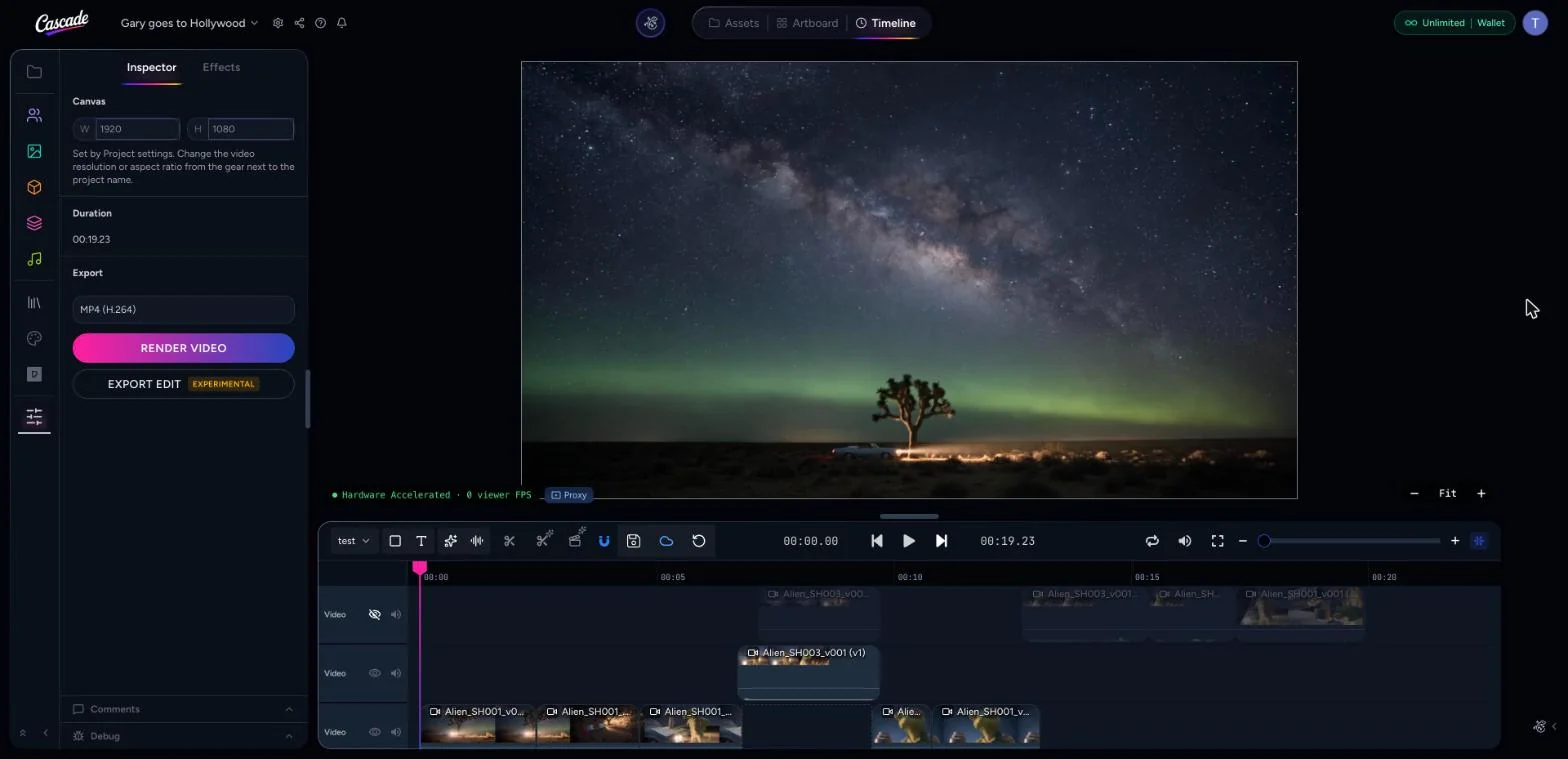
You can make your whole film in Cascade, from script to screen. But as filmmakers ourselves, we know how important it is to finish a film in the software you know best. That's why we've introduced our new experimental Export edit feature. Open your Cascade timeline, select Export edit, and take your cut straight into Adobe Premiere Pro or DaVinci Resolve.
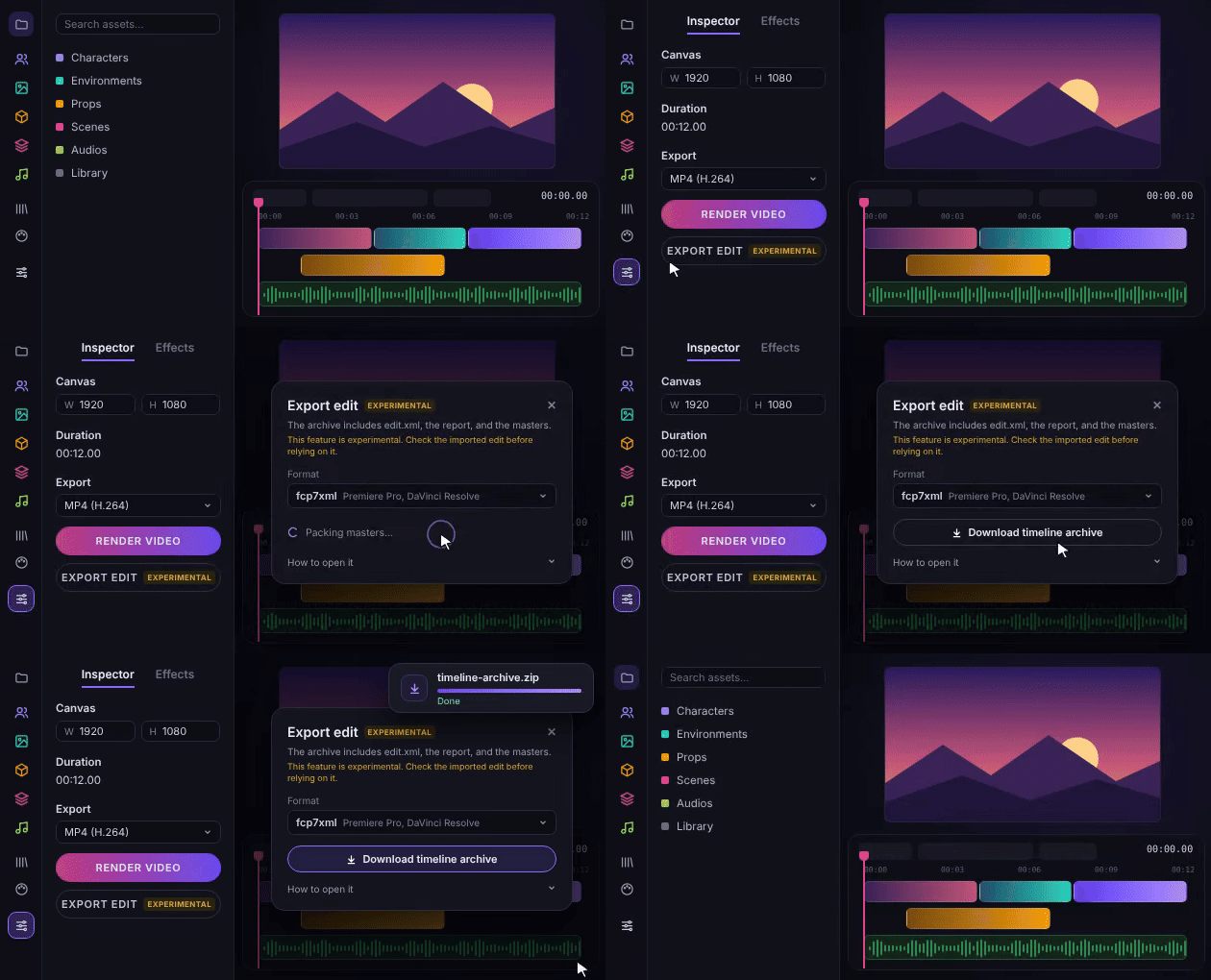
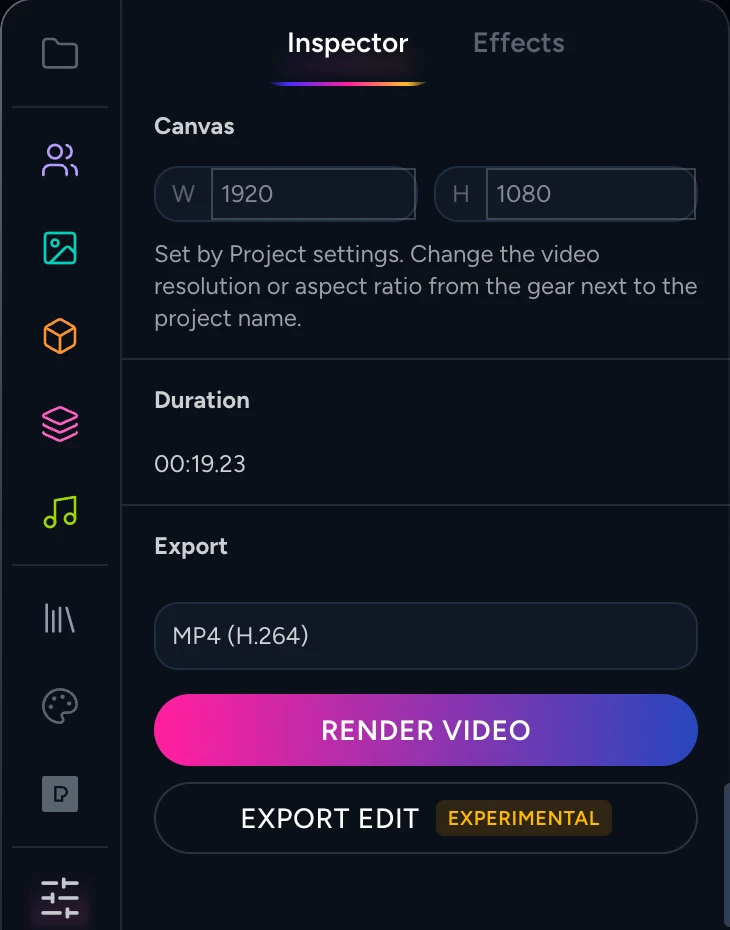
In short: Open Timeline · Open the Inspector · Click Export edit · Keep edit.xml and media together · Import into Premiere Pro or DaVinci Resolve
On this page: What it does · Why this matters · How to use it · Questions about exporting to Premiere Pro and DaVinci Resolve
Hit Export edit on your Cascade timeline and you'll download your cut as an edit.xml file, bundled with all the media it uses. Open that file in Premiere Pro or DaVinci Resolve and your edit appears as a timeline, with every shot in place and ready to work on.
Nothing gets flattened into a single video file. Each clip stays its own clip, so you can trim, re-order, grade, add sound design and finish the film with the tools you already know.

Cascade already gives you a full timeline: you go from script to generated scenes to a cut, all in one place. Now that cut can travel into your preferred edit suite as a real, editable timeline, not just a rendered file.
For filmmakers and post teams, that means Cascade fits into the pipeline you already run. Build the film in Cascade, then finish it wherever your team already works.
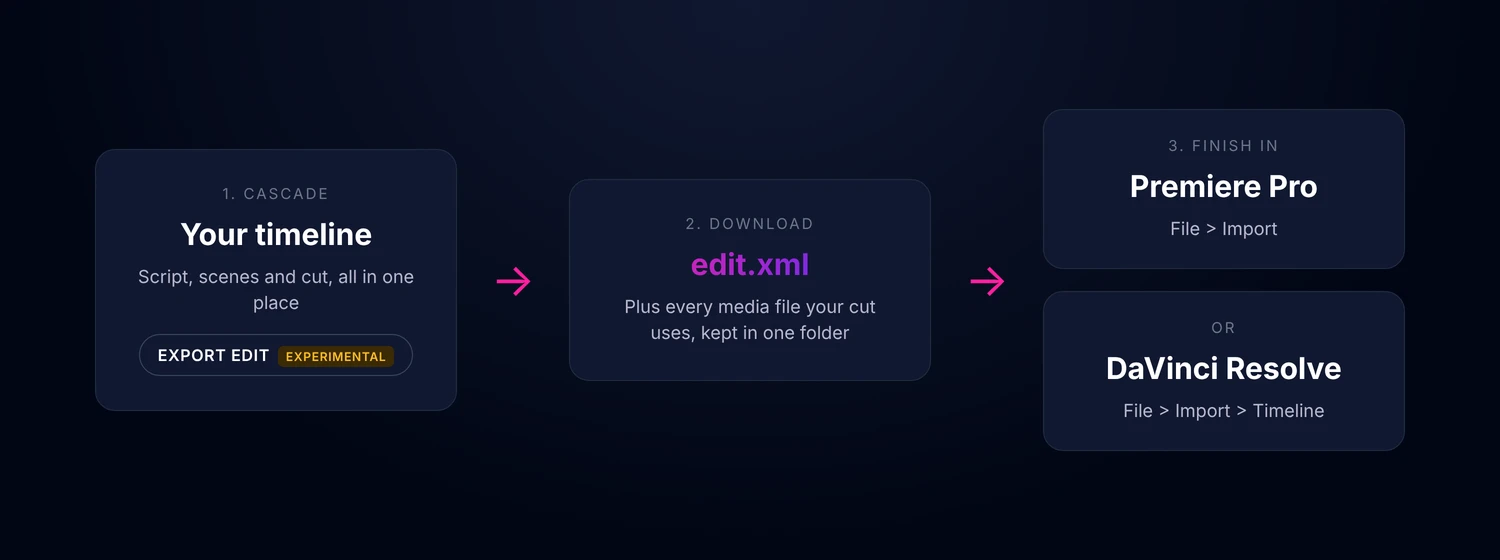
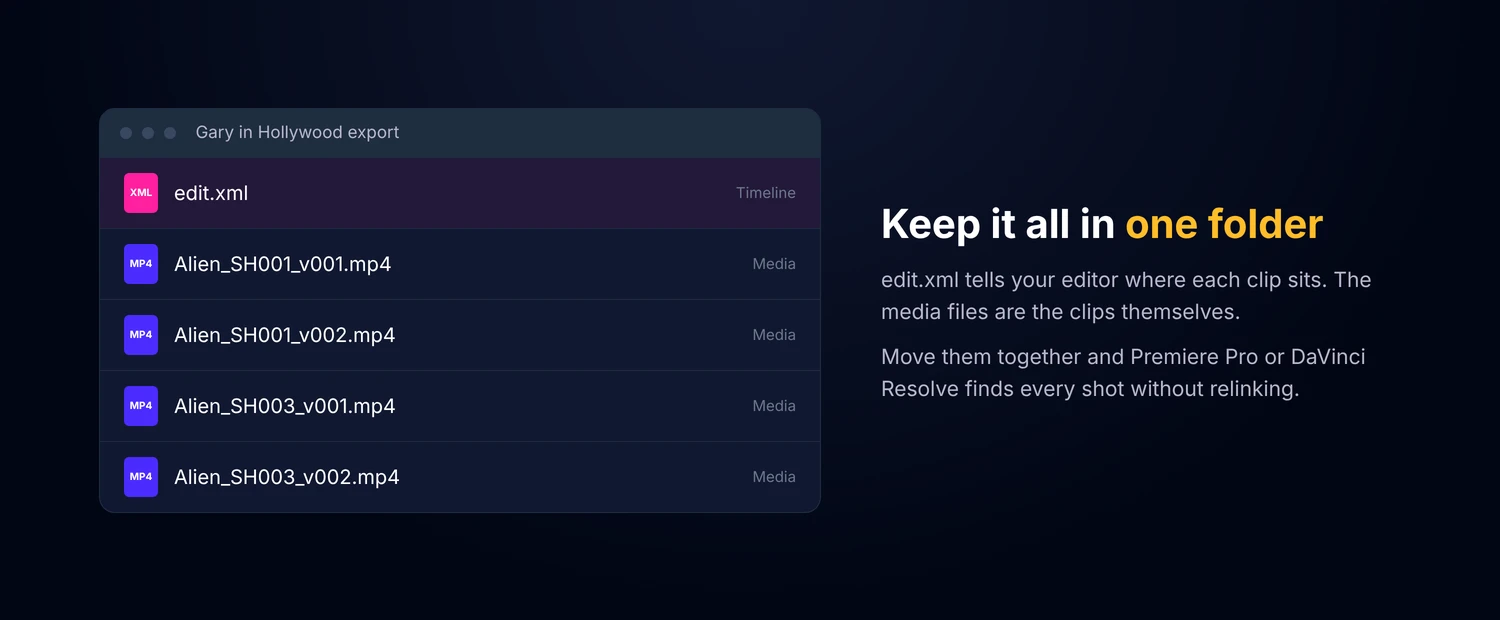
An edit.xml of your Cascade timeline plus all the media it uses. Each clip stays its own clip, in the same place on the timeline.
Adobe Premiere Pro and DaVinci Resolve. Export edit writes an FCP 7 XML file, built and tested for those two editors only, so other editors aren't supported for now.
Mostly, yes, with a few limits:
Colour grades, LUTs, grain, masks, blur, sharpen, vignettes and rounded corners stay in Cascade. Each clip comes in as its original, ungraded master, ready for you to grade in your editor.
Rendering and exporting is completely free.
Yes you can export your edit on every plan, including free trial.
It's new, and some timeline features may not carry across perfectly yet. Play the timeline through after you import it, and tell us what you find through the feedback form in What's New.
Start your film in Cascade · Start free with 3,500 credits. No credit card required.